

Modify rows
If the user select the row title, get on top other control elements visible
Edit field means to modify the databse field self, on right side get the field popup open to rename it or change parameters like placeholder
The function Values give an overview of all values, user can simply choice the values should get visible and it get simply to search values and select just the values wich should get visible
Filer opens a filter option to place rules like AND/ OR rules
Group convert all values of this row into groups, means every value wich match on it, get placed into groups (it should be possible to place multople sub groups UI will be done in the next)
Color makes possible to place a rules to convert the color of text/ background/ or highlight text if matching for example with rule X or not matching with rule Y
User can simply change the position of this row, make it smaler or larger
once the row get selected, get also an arrow visible
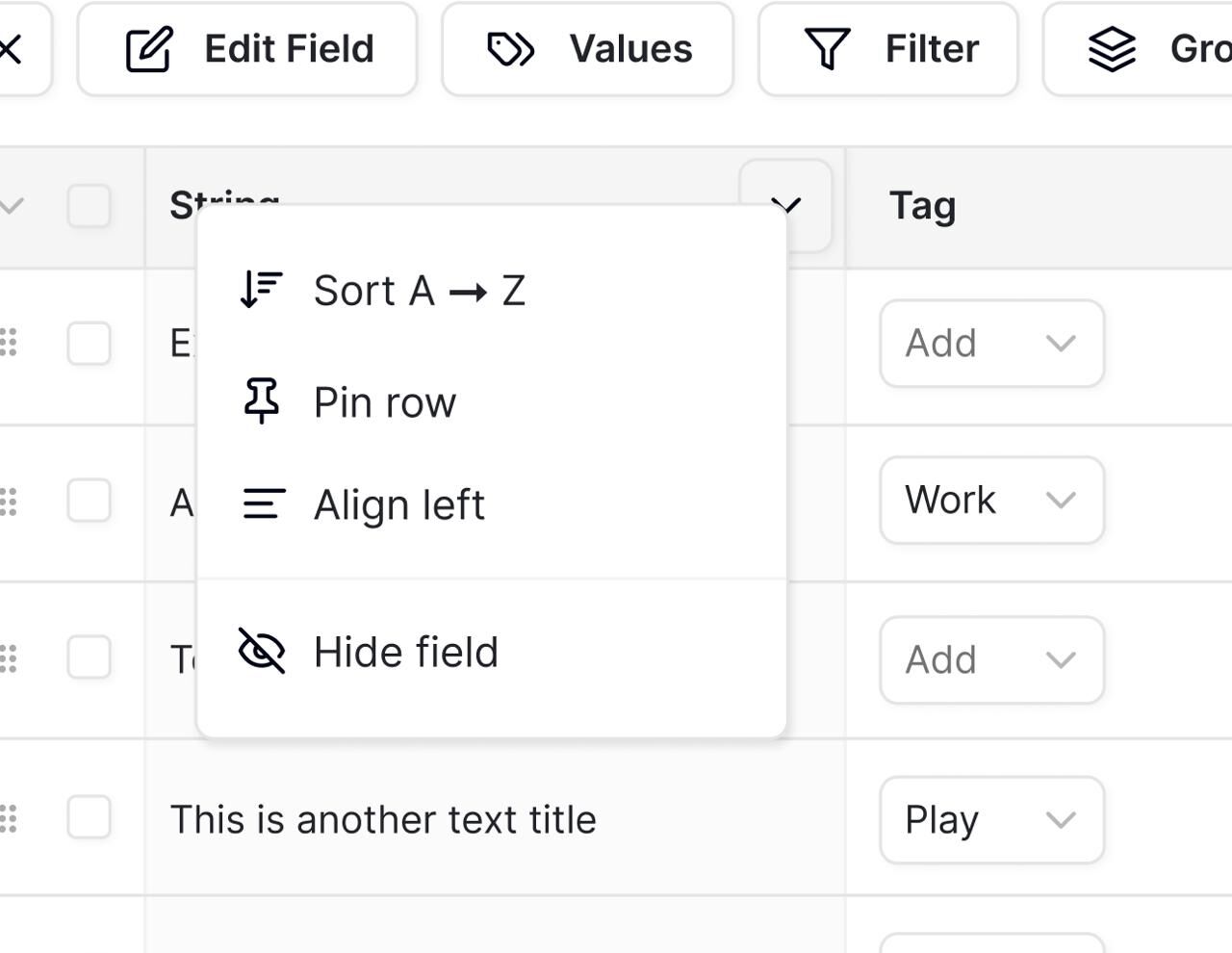
If the arrow get slected, is on top the sorting option, if the user select the sort option it get sort A to Z once it get sorted, get the user the option to sort Z to A
the other option is Pin row, taht means if the user navigate into the right get the current always visible, that helpful if this is a main row, and user want see other content of the list, but would get visible always this row
then get align option the option to change the align into center into left or into right, each time the user type on it get the align changed
And hide field make this row invisible, to make it again visible must the user navigate into fields editor